
The Art of City Travel: How to Navigate the World’s Greatest Urban Jungles Like a Pro
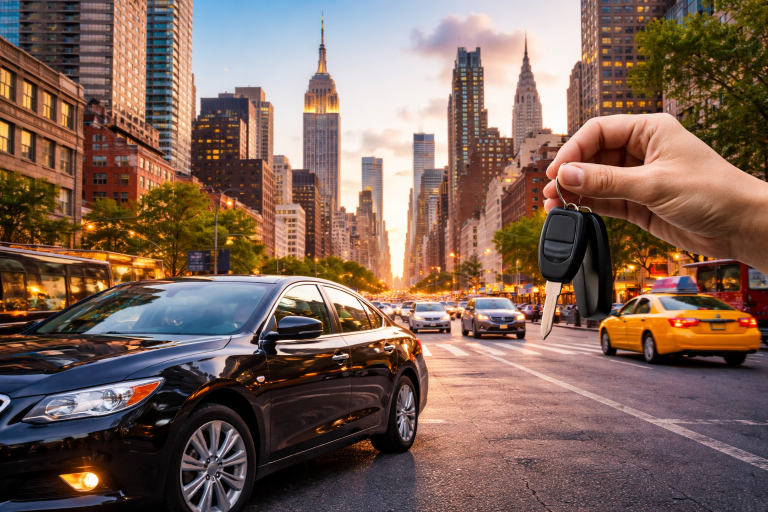
Find Popular LandmarkThere is an electric hum you only find in the heart of a great metropolis. Whether it’s the smell of street food in Bangkok, the yellow cabs weaving through Manhattan, or the sound of church bells echoing across a cobblestone plaza in Vienna, city travel offers an intensity and variety that beach resorts simply can’t match.
But let’s be honest: urban exploring can be exhausting. If you don’t have a plan, you end up spending too much money on mediocre food, getting lost in confusing subway systems, and fighting crowds at “tourist traps.”
In this guide, we are breaking down everything you need to know about mastering the urban landscape. From finding the cheapest flights using Google Flights to choosing between Booking.com and Expedia, we’ve gathered real insights from seasoned travelers to help you navigate your next concrete jungle with ease.

Why City Travel is Back in a Big Way
In recent years, travelers have shifted from “escaping it all” to “experiencing it all.” Modern city travel isn’t just about checking boxes at museums; it’s about “micro-moments” that perfect espresso in a hidden alleyway or a spontaneous rooftop jazz session.
According to recent travel data, urban tourism is seeing a massive resurgence because cities are becoming more walkable, green, and tech-friendly. With tools like Skyscanner and Trip.com, the world’s most iconic capitals are more accessible than ever before.
1. Booking the Foundation: Flights & Accommodation
The biggest hurdle to any city trip is the upfront cost. If you’re flying from the US to Europe or Asia, your flight will likely be your biggest expense.
How to Find the Best Flight Deals
- Google Flights: This should always be your first stop. It’s the fastest tool for comparing dates. Use the “Track Prices” feature to get alerts when fares drop for your specific city destination.
- Skyscanner: Known for finding “hacker fares” (combining two different airlines for a lower price). It often catches budget carriers that other sites miss.
- Trip.com: Especially powerful if your city travel involves destinations in Asia. They often have exclusive inventory for flights and trains that US-based sites don’t list.
Where to Stay: The Great Debate
Choosing where to sleep can make or break your experience.
- Booking.com: Ideal for Europe and boutique hotels. Their “Genius” loyalty program offers genuine discounts (10-15% off) once you’ve booked a few times.
- Expedia.com: Best for “bundling.” If you need a flight + hotel + car rental, Expedia usually offers a significant package discount that you won’t get by booking separately.
Comparison Table: Which Platform Should You Use?
| Feature | Google Flights | Skyscanner | Expedia | Booking.com |
| Best For | Price Research | Budget/Hacker Fares | Vacation Packages | Hotels & Apartments |
| UI/Speed | Ultra-Fast | Moderate | Good | Very Detailed |
| Loyalty Program | None | None | OneKey (Excellent) | Genius (Great) |
| Real User Tip | Use for “Anywhere” searches | Check “Nearby Airports” | Great for US Domestic | Read recent reviews only |
2. Real User Experiences: Lessons from the Street
We asked three frequent travelers to share their most “expensive” mistakes and their best “hidden gem” wins.
Sarah from Austin, TX: “I used to think staying in the city center was a must. In London, I stayed right at Piccadilly Circus. It was loud, overpriced, and the food was terrible. Now, I use Booking.com to find apartments in ‘secondary’ neighborhoods like Shoreditch or Islington. You get a better vibe, cheaper coffee, and you’re only a 15-minute subway ride from the sights.”
Mark from Chicago, IL: “Always check Google Flights on a Tuesday, but book when the price feels right. I once waited too long for a trip to Tokyo and the price jumped $400 in an hour. Also, don’t sleep on Trip.com for internal travel in Asia their customer service saved me when a train was canceled in Japan.”
Elena from Miami, FL: “My best tip for city travel? Buy a local SIM card or an eSIM immediately. Navigating the NYC subway or the Paris Metro without live Google Maps updates is a recipe for disaster. Also, always check Expedia for ‘Member Only’ deals I saved $200 on a hotel in Rome just by signing into my account.”

3. The “City Travel” Checklist: 5 Must-Dos
To ensure you don’t just visit a city, but actually experience it, follow these five rules:
- The 2-Mile Rule: Try to walk at least one 2-mile stretch of the city without looking at your phone. You’ll find the best architecture and local shops this way.
- Eat Off the Main Plaza: If a restaurant has a menu in five languages and a waiter standing outside inviting you in, keep walking. Go two blocks into the side streets for authentic food.
- Use Public Transit: Taxis and Ubers get stuck in traffic. Subways and trams are the heartbeat of city travel.
- Free Walking Tours: Most major cities offer these. They are the best way to get your bearings on day one. Just remember to tip your guide!
- Book “Anchor” Attractions Early: Want to see the Louvre or the Statue of Liberty? Use Expedia or the official sites to book weeks in advance. Gone are the days of just “showing up.”
4. Staying Safe and Smart
Urban environments require a different level of awareness.
- Pickpocketing: Common in high-traffic tourist zones in cities like Barcelona or Rome. Use a crossbody bag with a zipper.
- Scams: Be wary of “free” bracelets or people asking you to sign petitions.
- Digital Backup: Keep a photo of your passport on your phone and a physical copy in your hotel safe.

5. Budgeting for the Modern City
How much does city travel actually cost in 2026? While inflation has hit everywhere, you can still find value.
- Low Budget ($70 – $100/day): Think Southeast Asia (Bangkok, Hanoi) or Eastern Europe (Prague, Budapest).
- Mid Budget ($150 – $250/day): Major US cities (Chicago, New Orleans) and much of Western Europe (Berlin, Madrid).
- High Budget ($350+/day): The “Big Three” New York, London, and Tokyo.
Pro Tip: Use the “Price Graph” on Google Flights to see if shifting your trip by just two days can save you enough money to upgrade your hotel on Booking.com.
Conclusion: The World is Yours to Explore
City travel is about more than just sightseeing; it’s about the energy of human connection, history, and innovation. By using tools like Skyscanner to find the route, Expedia to bundle your costs, and Booking.com to find the perfect neighborhood, you take the stress out of the planning process.
The best city in the world is the one you haven’t discovered yet. So, what are you waiting for?
Where is your next city adventure taking you? Have you found a killer deal on Booking.com? Drop a comment below and share your best urban travel hack!
Find Popular LandmarkFAQs
- Is it better to book flights on Google Flights or directly with the airline?
Use Google Flights to compare all options, but we generally recommend booking directly with the airline through the link Google provides. This makes it easier to handle refunds or flight changes.
- Is Booking.com reliable for apartment rentals?
Yes! Booking.com has become a major competitor to Airbnb. The advantage is that many apartments on Booking have more flexible cancellation policies and “pay at property” options.
- How far in advance should I book for city travel?
For domestic US trips, 1–3 months is ideal. For international city travel, aim for 4–6 months to get the best rates on platforms like Skyscanner and Expedia.
- Does Trip.com work in the USA?
Absolutely. While Trip.com is a leader in the Asian market, they offer competitive rates for US hotels and flights and have a very user-friendly mobile app.
- Are “City Passes” worth it?
It depends on your pace. If you plan on visiting 3+ museums a day, a city pass (often found on Expedia) will save you money. If you prefer wandering and soaking in the atmosphere, skip them.
- Which site is best for last-minute hotel deals?
Booking.com and Expedia both have “Last Minute Deals” sections. However, checking the mobile app of the specific hotel often yields “mobile-only” discounts.
- How do I avoid “Hidden Fees” when booking?
Always check if “Resort Fees” or “City Taxes” are included in the final price. Booking.com usually lists these clearly, whereas some other sites might hide them until the final checkout screen.